
Storing and Reusing an Electronic Signature
Purpose
This article explains how to save your electronic signature to your profile so it can be automatically reused on reports that require your signature.
Browser Instructions
Option 1: Add a Signature to Your Profile
Step 1: Open Your Profile
- Click your name in the upper-right corner of the application.
- Your profile menu will open.
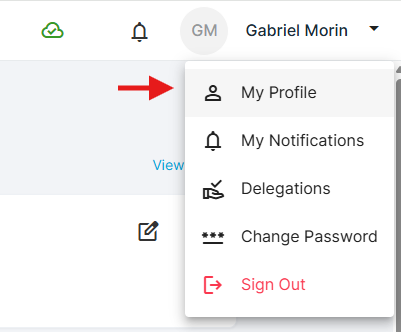
Step 2: Edit Your Profile
- Click Edit.
- Your profile information will become available for editing.
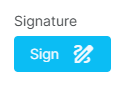
Step 3: Add Your Signature
- Locate the Signature field.
- Add your electronic signature.
Step 4: Save Your Profile
- Click Save to save your profile changes.
- Your signature is now stored in your profile.
Once saved, your electronic signature will automatically be applied to reports that require your signature.
Option 2: Save a Signature Directly From a Report
You can also save your signature while completing a report.
Step 1: Add Your Signature to a Report
- Open a report that requires your signature.
- Add your electronic signature to the signature field.
Step 2: Save the Signature to Your Profile
- After adding your signature, click Save signature to profile.
- Your signature will be saved to your profile for future use.

Important Notes
Automatic Signature Reuse
Once your signature has been saved to your profile, it will automatically be used on reports that require your signature.
This saves you from having to enter your signature each time you complete a report.
Updating Your Signature
If you need to change your electronic signature, you can update it from your profile using the Edit option.
Frequently Asked Questions
Do I need to add my signature every time I complete a report?
No. Once your signature is saved to your profile, it will automatically be used on reports that require your signature.
Can I save my signature while completing a report?
Yes. After adding your signature to a report, click Save signature to profile to store it for future use.
Vous avez encore besoin d'aide ?
Vous ne trouvez pas ce qu'il vous faut ? Appelez-nous ou ouvrez un ticket et notre équipe vous répondra.
+1 (833) 231-6212 · Mon–Fri, 9 AM – 5 PM (Eastern Time)