
During times of turmoil, break-ins and other crimes tend to rise. And in these times of unrest, commercial break-ins can quickly escalate. During the pandemic of 2020, robbery in the United States increased by a significant 27%. Keeping your security presence known is imperative for businesses wishing to maintain stability in troubled times. And a clear and concise Security Patrol Report is exactly what those businesses want and need to see.
A Security Patrol Report Form is a document used by security personnel to record the details of their patrol activities during a specific shift or time period.
Key Takeaways
- Security Patrol Reports Are Essential – They ensure accountability, record-keeping, incident documentation, and client communication in security operations.
- Key Report Components – Every report should include officer details, patrol routes, observations, incidents, actions taken, and timestamps for accuracy.
- Clear and Consistent Reporting Matters – Standardized formats, uniform data entry (dates, times), and structured patrol routes improve report effectiveness and professionalism.
- Client Value & Liability Protection – Well-written reports highlight security effectiveness, document site conditions, and reduce liability for both the security firm and client. In our guide, you’ll learn how to best use the report in your team.
- Supplemental Media Enhances Reports – Adding photos, videos, or audio improves clarity and provides stronger documentation of incidents and observations.
- Digital Reporting Improves Efficiency – Digital tools streamline reporting, allow media uploads, and enable real-time alerts, making security operations more effective.
Our free and downloadable Security Patrol Report form (template) is all you need to provide a clean and professional Security Report Form experience. The intuitive design is easy to follow, and the ample text area for the security patrol information provides a backboard for clear communications.
Merely having a decent patrol report is only the first step. Ensuring that security personnel receive proper report training in completion protocol is vital to a successful security operation. Clients appreciate the front-line communications in clear and concise order. And this quick-reference security patrol report guide will help in doing just that – creating a clean and transparent procedure for optimal security patrol report completion.
Included In The Security Patrol Report Form
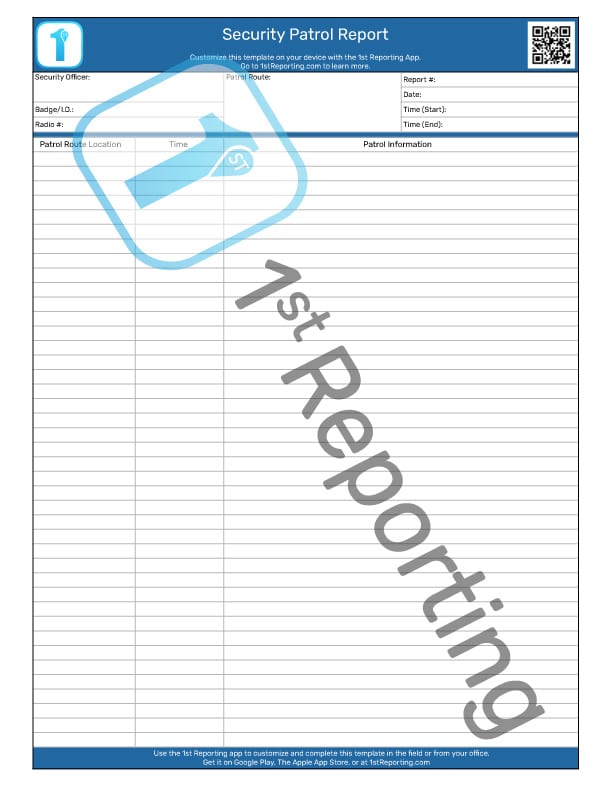
No security patrol report is complete without certain pieces of information. The patrol report information can break down into four primary sections, each of vital importance.
Key Elements of a Security Patrol Report Form
- Date and Time: The exact date and times for the start and end of the patrol.
- Location: A detailed description of the areas covered during the patrol. This may include specific checkpoints, buildings, floors, or zones.
- Patrol Officer’s Information: The name and ID number of the security officer(s) conducting the patrol, as well as any team members involved.
- Observations: Notes on what the officer observed while patrolling, including the condition of the area (e.g., locked doors, broken windows, unusual sounds, or visible damage).
- Incidents: Documentation of any incidents encountered, such as unauthorized persons, suspicious activity, or disturbances. This section may include details of the incident, actions taken, and the outcome or resolution.
- Actions Taken: Any actions the officer took during the patrol, such as locking doors, escorting people, or reporting issues to supervisors or law enforcement.
- Signatures: Space for the patrol officer’s signature and, if necessary, a supervisor’s signature to verify the patrol was conducted and reviewed.
- Additional Notes or Comments: Any extra information that may be useful for further investigation or to improve future security measures.
Let’s take a quick look at each of the sections, in more detail, of the patrol security officer report and their significance.
The 4 Sections Of The Security Patrol Report Form
Security Officer Information
Initially, it is essential to identify the officer who is filling in the report when reading the security patrol report. The first area of our concern on the report answers this call.
The officer identification section includes the security officer’s name, badge or I.D. number, and a radio number. As many companies are switching from radio to smartphone, one could use this same area to record the number if an equipment I.D. is not in use.
Patrol Route Information
Central to the top administrative section is the patrol route information area. As many facilities can have multiple patrol routes, such as the case where numerous buildings are patrolled, it is imperative to complete a separate report for each patrol route.
Identifying the particular patrol route taken is critical. Without this information, the report is null and void, so patrol identification is thus a vital strategy.
Patrol Report Administrative Information
The patrol report would not be complete if not assigned a patrol report number. Naturally, the date and time are also included in this administrative section. With the potential of filling multiple reports within a single shift, assigning a report number can be an effective way to track and file reports for future retrieval as required. It also allows for more straightforward invoicing for security services as report numbers referenced are a professional way of doing business as a security company.
Patrol Route Checkpoints Observations
Perhaps the most vital part of the security patrol report, the observations and notes section of the report, is key to providing the end client with the information they are seeking. The observations section is not only the most vital portion; it is also the most straightforward section to incorrectly complete.
Beginning with the patrol route location, the security officer may note checkpoints within their route. Having a predetermined security route complete with predetermined checkpoints is essential for an organized security service.
The second column in the report’s observations section is where the security officer will note the time they were at each of the noted checkpoints. Time is typically recorded in a 24-hour clock format.
The third column is the location on the security patrol report, where the officer notes their findings. The elements recommended for recording will be following in the writing techniques section.
There are many essential aspects to the observations section that ought to be included in the report. These aspects may seem subtle or even pointless (depending on the point of view), but each will be explained in its own right so you can have a full understanding of their real and perceptible importance.
To understand what is required for security personnel to learn before the expectation of a complete security patrol report, it’s good to take a quick look at each to understand its workings. We’ll cover each concept in the following security report writing – techniques section below.

Purpose and Importance for Security Guard Reporting
A Security Patrol Report Form is critical for:
- Accountability: Ensures that security officers are performing their duties and provides a record for supervisors to review.
- Record-Keeping: Creates a detailed record of all patrol activities, which can be helpful in audits or legal situations.
- Incident Management: Allows for efficient documentation and response to incidents, which can be reviewed for future improvements.
- Reporting: Helps report to management or clients about security conditions and potential vulnerabilities.
How To Complete A Security Patrol Report (5 Steps)
Completing a patrol report accurately is vital for liability protection and client trust. Whether you are using a paper template or a digital solution like the 1st Reporting App, follow these five steps to ensure a professional result every time.
Step 1: Record Administrative Data
Before beginning the patrol, ensure the “header” information is accurate. This includes the specific Date and Start Time (use 24-hour format for consistency). clearly print the Security Officer’s Name, ID/Badge Number, and the specific Site/Location Name. If using a digital app, this data may auto-populate based on your login.
Step 2: Define the Patrol Route
Identify the specific route or zone being covered (e.g., “North Perimeter” or “Building B, Floors 1-4”). If your site uses checkpoints (QR codes or NFC tags), ensure your device is ready to scan them as you arrive at each location.
Step 3: Log Observations in Real-Time
Do not wait until the end of the shift to write your notes. Record observations as they happen.
- Status Checks: Note that doors are locked, windows are secure, and lights are functioning.
- Exceptions: If something is out of order (e.g., a burnt-out lightbulb or a propped-open door), record the specific location and the time it was observed.
Step 4: Capture Supplemental Media
If you encounter an incident, property damage, or a safety hazard, use your mobile device to capture photos or video. Visual evidence reduces liability and provides clarity to the client. If using a paper form, you must reference that digital photos were taken and stored separately.
Step 5: Sign and Submit
Once the patrol is complete, record the End Time. Review your notes for legibility and spelling. Sign the document (or apply a digital signature) and submit it immediately to your supervisor or client. Instant submission via a mobile app ensures the client receives real-time updates on their property’s security status.
Adding Value To Your Security Patrol Report Form and Security Report Writing
Client Communications – The Security Report Form’s Front Line Response
As a manager, you know that a good relationship with your security clients is vital to successful operations. Recalling that security expenses are seen as more of a necessary evil than something willingly paid for with excitement, one can quickly see the need for client communications that drive home the feeling that the security budget is a well-spent one.
Due to the Security Patrol Report Form, Security Daily Report, and other security reports being at the front line of your client communications, the necessity for formal report writing becomes obvious.
A report observation needs to convey to the client the value of the security service. In this respect, the security officer’s comments reflect the value of the security service itself.
Understanding how to provide the necessary value in the observations can be daunting if one is trying to assume the answers for the first time. But, conceiving the client’s perspective is required to understand what the client will view as valuable.
What Provides Value To A Security Report? Good Security Guard Writing!
Have you ever heard the saying that understanding comes when you walk a mile in someone else’s shoes? This simple saying is all we need to understand how we can create the ultimate security patrol report form. As mentioned, companies don’t WANT to spend money on security services. It is a loss leader for the budget.
Here are a few ways your security patrol report forms can convey value to the client:
- Add information about site conditions.
- Add information about client interactions.
- Convey useful equipment information
- Limit Liability
Site conditions can tell the client things about their property’s nature that they may not otherwise be aware of if it weren’t for the report. It may include informing them of an area where ice is building up, and a slip hazard exists, for example.
Site Conditions
The trap in informing the client of site conditions comes if we start over-recommending. A client doesn’t want to receive a report that tells them they have to spend an excessive amount to correct minor issues. Similarly, there is a danger in security officers becoming self-appointed experts.
Maintaining a balance between what is considered a helpful recommendation and what would be considered excessive will depend on the client and the site conditions. But preliminary training of security personnel to find this balance is imperative in adding extra value to the report communications.
Client Interactions
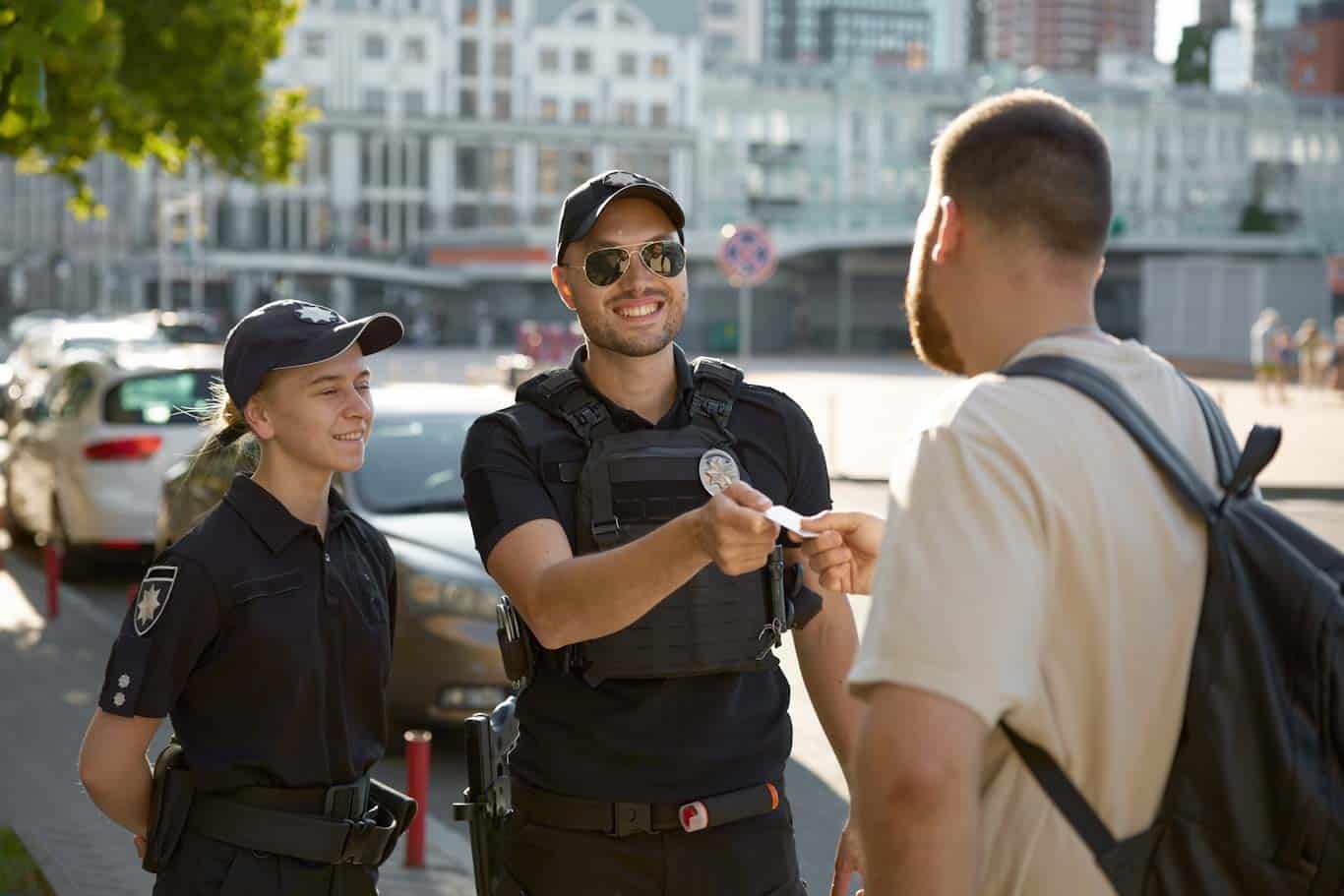
Security officers must know they should go the extra mile to help provide a good representation of the client to the general public. The security officer acts as a representative of the property management or client running a said facility by the general public. Therefore if a security officer is rude or unhelpful to the general public, the public’s view will be that the property owner will also be rude or unhelpful.
As security officers act as official representatives, they ought to maintain a friendly and helpful nature. These acts and interactions with the public must find inclusion in the security patrol report form. It will convey the added value provided by the security services and affirm their necessity for the business.
Convey Useful Equipment Information
When a security officer is assigned to a client where equipment is a driving factor for the business, keeping an eye on said equipment is vital to the security operation. In the case where property equipment may be malfunctioning, the security officer needs to take note. It may be a failure of equipment that the client is unaware of and will appreciate the notice.
Check out our Equipment Condition Report
Limit Liability
Additionally, noting issues with property or equipment is the security officer’s duty to help prevent potential liability issues for both the client and the security firm. The most effective method of limiting liability for the security officer is to note every detail and even take photos or videos as necessary. And this leads us to our next consideration for supplemental report data.
Supplemental Report Media Considerations
When using a printable security patrol report form, the downside to this form of manual entry is the lack of ability to add supplemental media. For example, a security officer might want to help an older person across a slippery parking lot as a good gesture. To limit liability, it is best practice to ask the person’s permission to assist and record the exchange. It eliminates the person’s potential to turn and blame the security officer as the officer has eliminated the liability by asking permission to assist (not legal advice; this is meant as an example only).
Adding supplemental media such as pictures, audio, or video recordings can explain an occurrence or observation more efficiently than taking notes. But this sort of media would require some effort to provide to a client. It is a major drawback to manually writing reports. If you want your security officers to add media like photos, audio, or video, you may want to give a digital reporting solution like the 1st Reporting app a try.
Security Patrol Reporting Tips
Over 700,000 security officers are operating in the United States in the security industry alone. And every one of these security officers should fill out a security patrol report form after each security patrol.
With 24% of the security workforce residing in the US, this many reports require appropriate organization. It makes sense to have efficient systems and processes to deal with the number of reports that will accumulate over time. Ensuring proper completion of the reports can be assisted with a couple of simple tips for successful reporting.
Here are a couple of tips to help create a successful patrol reporting procedure. These tips can help your security patrol process improve and even help provide a format that is easily trained to security personnel that makes the reports professional and vital to your clients.
- Make Patrol Route Maps With Checkpoints
- Ensure Checkpoint Locations Are Included On The Security Patrol Report Form
It may seem like a simple point, but creating uniform patrol routes and recording them on a map, even a rudimentary one, can help streamline your security processes. And bringing new officers onto the site will be even more comfortable when training via a collection of patrol maps and procedures.
When creating the patrol routes, it is vital to establish checkpoints along the route. The client will often have specific checkpoint requests, such as ensuring distinctive doors are locked or that a parking garage door is functioning as it should. Noting these checkpoints on a patrol map makes communication with the client easier by having identifiable points along the patrol route. One would look on the report for said checkpoints specific information.
The client will, over time, adopt a strategy of skimming the report to these specific checkpoints for the information they seek. It is an excellent practice to maintain this process in a uniform and repeatable fashion.
A Digital Security Report Solution
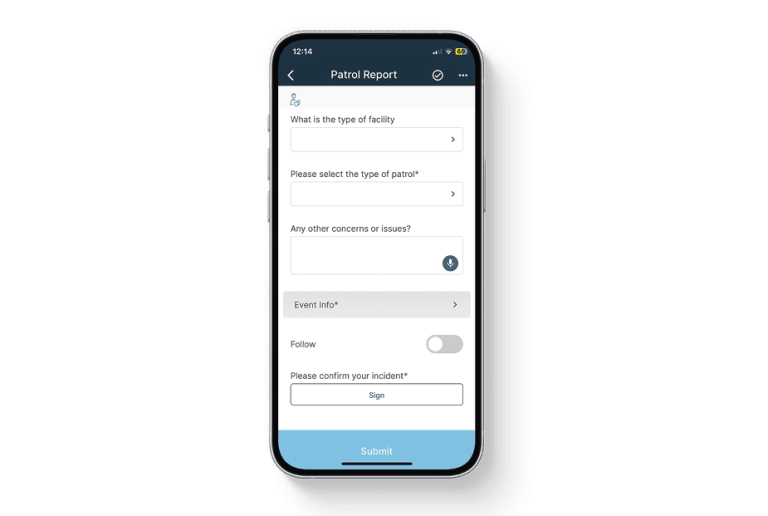
Having an excellent printed security report is a great concept for any security firm. However, what if you could take things to the next level of technology and eliminate the physical report for a digital solution? At 1st Reporting, it’s not an idea; it’s a standard. Here’s a few key takeaways:
- Increased Efficiency
Speeding up any process, especially on something that generally takes pure labor, is one critical method for expediting a cost-efficient reporting strategy.
- Additional Media Coverage
When referring to additional media, a digital solution is an answer, as we have discussed.
- Instant Notifications
In any management position, you want to know when a situation would require your full attention. Instant notifications are the most efficient way of communicating that a report has just been submitted to the digital platform. With a digital solution, notifications can be generated automatically. It alleviates the security officer of extra communicative responsibilities allowing them to focus on the task at hand.
Invite your team to 1st Reporting! They can download it from Google Play or The Apple App Store.
References
- “Security Guards.” 2023. Bureau of Labor Statistics. April 25, 2023. https://www.bls.gov/oes/current/oes339032.htm.
- “Security Services: Global Market Size 2020 | Statista.” 2020. Statista. 2020. https://www.statista.com/statistics/323113/distribution-of-the-security-services-market-worldwide/.