
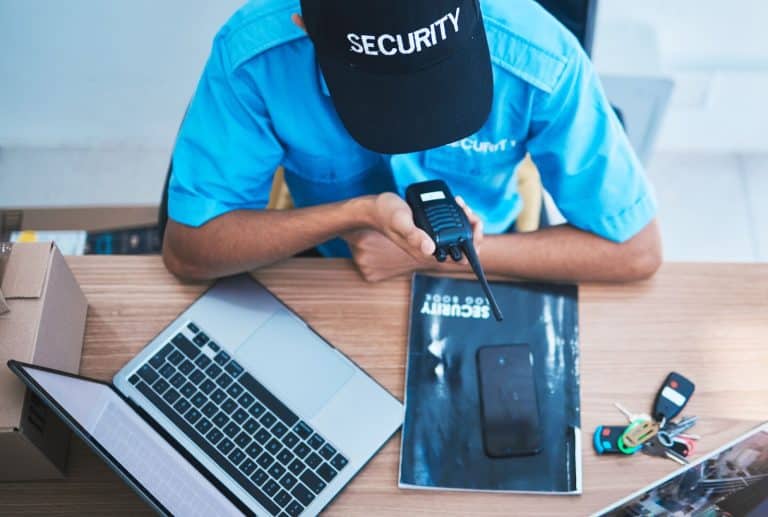
Retail incident reporting for security professionals is the backbone of smooth security operations. It provides clarity, consistency, and accountability for providers and clients alike. However, understanding how to streamline, standardize, and document incidents within retail environment security operations still eludes some agencies, enabling their competitors who use incident-tracking software to gain an edge in the market.
In this essential guide, we’re going to explore how you can use incident-tracking software like the 1st Reporting application to gain an advantage over your competitors, even those already using basic incident-tracking software in the retail space. We’ll explore creating custom incident forms using artificial intelligence and learn some groundbreaking strategies for standardized incident report completion by guards in retail locations.
What Is Retail Incident Reporting for Security Teams?
In the security industry, an incident report documents any event deemed an incident, and, by extension, the process of documenting such events is retail incident reporting for security professionals. How we define an incident will depend on the client, of course. However, if we assume we are guarding either a location (property) or a person, we can define an incident as any event that negatively affects persons or property.
Therefore, an incident in the security sector is any event that negatively impacts either person(s) or property. The security incident report is crucial for communicating events to both clients and supervisory personnel.
Why Proper Incident Reporting Matters for Security Teams Guarding Retail
Proper retail incident reporting serves security teams in a number of ways:
- It ensures accountability and protects your organization.
- It provides clients with reliable, professional documentation.
- It supports investigations and internal audits.
- Retail incident reporting helps supervisors evaluate guard performance and identify training gaps.
- It standardizes reports to reduce errors and guesswork, especially for new guards.
You can improve incident response times across all sites by adopting digital reporting best practices.
The Essential Components of Every Retail Incident Report

Let’s explore what your security personnel need to include in every retail incident report.
Who
- Persons involved or affected
- Witnesses
- Reporting officer(s)
- Emergency personnel involved
- Contact details and identifiers
What
- Incident type
- Detailed description of the event
- Assets, equipment, or areas affected
When
- Exact date and times
- Timeline of events
- Differences between “incident time,” “discovery time,” and “report submission time.”
Where
- Site name, building, zone, or specific location
- Conditions (weather, lighting, crowd levels, visibility, hazards)
Why
- Confirmed causes or contributing factors (fact-based only)
- Related policies or procedures
How
- How the event unfolded
- How the guard responded
- How the situation was resolved
- Follow-up actions
Writing Standards for Accurate, Professional Reports
Train your guards to use the following standard policies for better incident documentation at retail locations.
- Objective, factual language only
- Avoid assumptions and emotional statements
- Use 24-hour time and consistent terminology
- Include supporting media evidence (photos, video, witness statements)
Retail Incident Reporting for Security: Common Mistakes to Avoid
In our experience working with countless security companies, we’ve found several common incident-reporting errors that can jeopardize the reporting process. These mistakes are easy to avoid when security personnel keep them in mind when reporting on incidents in the field.
Pro Tip: Customize this list to suit your security teams and include it in the Handbook section of the 1st Reporting application. The Handbook section lets you maintain an online database accessible to your guards in the field.
- Vague descriptions
- Missing timestamps
- Unclear or incomplete narratives
- Personal opinions or assumptions
- Forgetting to document evidence or follow-up tasks
- Not listing all involved parties
When Security Teams Should File an Incident Report at Retail Sites
Security teams should complete an incident report whenever a situation arises that a retail client site owner/manager would want or require documentation. With that said, if unsure, security personnel should complete an incident report and should receive training to that effect.
Commonly Reported Retail Incident Examples
- Injuries and medical events
- Suspicious behavior
- Property damage
- Criminal activity
- Policy violations
- Emergency system activations
- Any event requiring documentation or follow-up
Why Digital Reporting Outperforms Paper Forms
Digital reporting of incidents, shifts, daily activities, patrols, and site visits is among those that benefit from leaving paper-based reporting behind. Digital reporting provides a number of crucial benefits your organization will profit from, including, but not limited to:
- Faster submissions
- Standardized data collection
- Instant client notifications
- GPS location and time stamping
- Photo/video evidence
- Audit trails and long-term storage
- Better consistency across guard teams
- Ability to modify forms instantly
- Better supervisory oversight (when not on site)
Start Using the Incident Report Template Inside 1st Reporting
With 1st Reporting in your corner, you can customize, dispatch, and manage incidents more easily, faster, and with greater oversight and confidence.
Give your clients the incident follow-up communications they want and lead the industry with digital retail incident reporting with 1st Reporting.
- Works on mobile and desktop
- Customizable forms for easy setup
- Built for real security operations like yours
Start using the customizable incident report template today by signing up for 1st Reporting. Or, book your demo with the reporting specialists at 1st today to learn more.
Empower Your Guards With the Right Reporting Tools
Incident reporting in the security sector takes leaps and bounds forward with digital reporting tools like the 1st Reporting application. You can standardize reporting, customize notifications, and provide your security professionals with the tools they need to deliver security reporting and solutions that will leave your customers smiling and your competition in the dust.
Try the 1st Reporting application today. Available for your team on Google Play and The Apple App Store.