
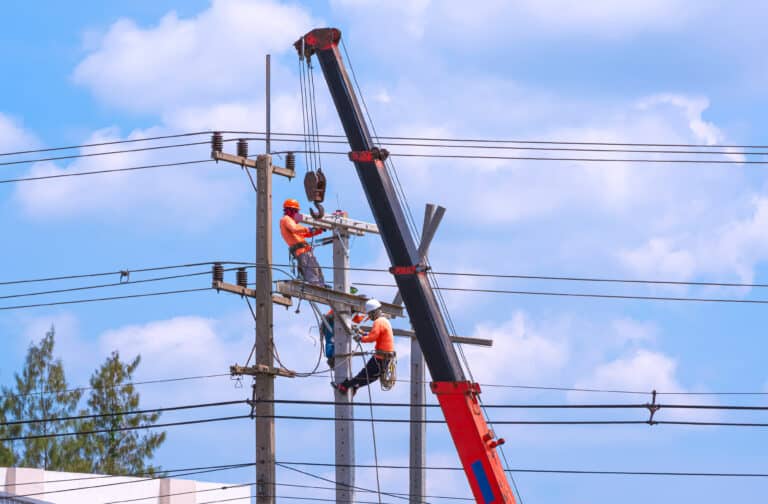
When you’re managing municipal utility service, from water to telecom to natural gas, you know that every second counts. That’s why your field teams working at remote locations need offline reporting capabilities that help them speed up information sharing. In fact, in today’s fast-paced world, I dare say it’s a prerequisite for operations–fast and efficient communications.
We explored the world and discovered some of the best offline reporting tools for remote utility sites and their service teams. Keep reading to find out why choosing one is a better option than not. Let’s dive in.
Why Offline Reporting Tools Matter for Remote Utility Sites
Reports published within the last five years indicate that utility service providers utilizing the latest applications and offline reporting tools can achieve up to a 25% reduction in operating expenses and 20–40% performance gains in safety, reliability, customer satisfaction, and regulatory compliance. (“How Digital Transformation Reduces Unplanned Downtime in the Energy Sector” 2021)
If that’s not proof enough, another paper builds out the case like this:
- Utilities collect multivariate data of different time and space granularity, depending on the technology they used to get it.
- To achieve a stable and sustainable operation, collected data must be both available and reliable. These two combine to enable managers to make appropriate decisions based on available data. Should that data face delays, as is often the case with offline and a lack of available connectivity, situational awareness becomes impossible for any who is not directly on site or has hardwired access to the site. According to the paper, this communication barrier is the main limiting factor.
- The sharing and collaboration of the field-gathered data is crucial for multiple stakeholders. Said information sharing provides a climate of interdependence, so data communication must be fast and efficient with appropriate security measures and clearance per participant. (Rafael et al. 2021)
In a nutshell, utilities collect a variety of data and data types from the field, often at remote utility sites. Field teams require both offline and online reporting solutions to establish a stable framework for managing field data, thereby supporting real-time situational awareness.
Now, let’s dive into the top offline reporting tools to help you get that full situational awareness with your teams.
Top Offline Reporting Tools for Utility Field Teams
I was researching various offline reporting tools and came across an interesting paper that compared labor hours spent gathering data with informational outcomes to study data collection efficiency. The paper demonstrated that, through an actual water utility, it helps to properly quantify when onsite data capture pays off or becomes wasteful. (Rokstad, Ugarelli, and Sægrov 2015)
With that method of quantification in mind, I took a similar approach and want to share my findings with you about the best offline reporting tools for remote utility sites, starting with my top pick, 1st Reporting.
1. 1st Reporting
After careful consideration, I have to choose the 1st Reporting application as my top offline reporting tool for both utility field teams and service field teams in general. Here’s why:
1st Reporting Standard Features
- Offline data capture on mobile devices with auto-sync data on reconnection.
- AI Template Genie for form building. Fast, professional, AI-generated forms you can edit using a simple prompting interface you’re likely already familiar with.
- Dynamic workflows, notifications, and task management, including task delegation and deadline management.
- GPS-integrated accountability features.
- Multimedia ready for site photos, videos, or file uploading.
- Easy talk-to-text features for semi-hands-free reporting.
- Cloud-based handbook feature that allows you to share files, such as standards, procedures, field equipment, asset manuals, training videos, and other reference materials, with role-specific conditions and broadcast capabilities.
- KPI reporting empowers decision makers with appropriate data to reveal trends and provide real-time decision support.
With all of these features wrapped in an intuitive user experience that makes it easy to use, easy to learn, and easy to manage, it stands out to me as the number one choice for today’s business.
2. TrueContext
TrueContext is a mature mobile forms solution often used across industries for inspections and reporting. It includes offline capabilities, workflow creation, and multiple integration options, as well as API support that makes it adaptable for enterprise clients. Many teams value their reporting dashboards and analytics for standard compliance and safety tracking.
That said, to me, TrueContext remains form-centric, which is fine if that’s what you want. It might be a bit much for most companies to integrate, though, as it appears to require more customization or third-party tools for organizations that need incident linking, advanced task assignment, or dynamic notifications. It is best suited to companies with established IT teams who can tailor the system to their processes.
TrueContext Basic Features:
- Offline mode for mobile inspections.
- Workflow creation and management.
- Standard integrations and analytics.
By contrast, 1st Reporting provides AI-driven form creation, role-based access control, dynamic workflows, and automated notifications directly within the platform. Not to mention, as you can read in the case studies, 1st Reporting is one of the most intuitively designed field reporting applications, making it so easy to integrate and adopt that it works across borders with companies around the world. It makes it easier for utility managers to roll out structured reporting and accountability without the heavy customization needed by other providers.
3. GoCanvas
GoCanvas is a mobile forms application with the usual offline capabilities. It has an impressive library of pre-built templates, along with scheduling and dispatch features that can help streamline fieldwork.
However, it appears GoCanvas is primarily built around what I consider to be ‘the trades’ rather than comprehensive incident and task management for utility-related operations. While it excels in dispatch and scheduling, organizations looking for workflow automation, accountability features, and dynamic reporting may find themselves needing additional tools or custom setups.
GoCanvas Basic Features
- Large form template library and form digitization.
- Scheduling/dispatch and white-label SDK options.
By comparison, 1st Reporting combines offline data capture with AI-assisted form creation (Template Genie), dynamic workflows, role-based accountability, and custom notifications (to mention a few of the standard features). Offline mobile forms and inspections.
4. Fulcrum
Fulcrum positions itself as a flexible data collection app for field operations. It offers offline data entry, custom form creation, and map integration for geospatial reporting. In simpler words, like most other field reporting apps, including 1st Reporting, it uses GPS. However, for organizations needing a straightforward tool to digitize paper checklists and collect field observations, Fulcrum provides a reliable baseline.
In researching the app, I found Fulcrum’s focus is mainly on data collection. While it supports mapping and task management, it lacks advanced workflow automation and accountability features. Its AI features, such as voice-to-text, are limited compared to broader industry offerings.
Fulcrum Basic Features
- Field data collection with offline support.
- Customizable forms and map integration.
- Task management features.
In comparison, 1st Reporting extends beyond basic data capture by combining offline reporting, AI-powered Template Genie, dynamic event linking, and task management tools. These features help remote utility teams not just document issues but also act on them decisively, quickly, and consistently, reducing delays caused by manual processes.
5. Other Market Options
I came across a couple of other field reporting tools that I thought I might mention, to see what else was available.
Sitemate
I found Sitemate and noticed right away that they offer multiple solutions. First, they offer three different cloud-based solutions and two mobile applications. They specialize in specific reporting applications with each of their various solutions, which, to me, appears as though one might need to get two or maybe three other pieces of software from them to accomplish similar tasks as a more flexible alternative would offer.
Sitemate Basic Features
- Multiple software reporting solutions:
- Dashpivot Systems Cloud – Use: data capture, like site inspections
- Gearbelt Assets Cloud – Use: vehicle and equipment inspection and management
- Flowsite Integrations Cloud – Use: Business process automation integration platform
- Dashpivot Mobile App – Use: Field access point for management and technicians
- Sitemate Mobile App – Use: Workforce field access point.
Personally, I struggle with the idea of needing multiple programs to manage field reporting operations and integrate with other software. Many of the best applications can do all of this in one. Now, don’t get me wrong, maybe their specialization is right for you, but for me, not so much. I prefer how 1st Reporting starts with a super-flexible base of customizable features that make it work for multiple applications unified in one place with an easily integrated API to communicate with your existing systems.
Fieldproxy
Fieldproxy is a platform that provides small businesses with basic field reporting and job management. It’s not really geared to utility organizations. It appears to target the small business and trades sectors, especially with its custom estimate features not found in the more enterprise-ready reporting solutions.
Fieldproxy Basic Features
- Create and send service estimates, contracts, and invoices
- Basic dispatch and scheduling
- Configurable job checklists
As mentioned, this application is suitable for some small businesses that require estimates, contracts, and invoices along with configurable job checklists. This platform is best suited to small businesses in the trades who lack more sophisticated digital solutions.
Key Features to Look for in Offline Utility Reporting Software

Before researching all of the field reporting solutions mentioned above, I defined six key features that, over the 20 years of service team management, I found are crucial to a successful offline reporting solution:
- Offline-first capability: seamless sync when connectivity returns.
- Customizable forms and workflows: match field processes and compliance needs.
- Accountability tools: GPS, timestamps, and team task assignments.
- Notifications and task linking: providing real-time data for faster incident response.
- Integration with enterprise systems: CMMS, EAM, OMS, ADMS via API or with Microsoft Teams standard integration.
- Data security and compliance: ISO certifications, secure cloud storage.
How Offline Reporting Improves Utility Operations
In case you missed it, offline reporting is a crucial feature of the best field reporting software for helping improve utility operations. Offline reporting bridges the gap between non-accessible data connectivity in the field with real-time data synchronization, the moment a connection is reacquired. Sure, a future society won’t have connectivity issues. Still, for today’s businesses, a robust offline reporting process is what we have shown helps improve utility operations and field service around the world.
- Faster incident documentation and response times.
- More transparent field accountability (location/time stamping).
- Reduced costs by eliminating paperwork and duplication (Rokstad et al. 2015).
- Better long-term asset management through structured reporting.
- Real-world analogies: public health offline apps improved efficiency and accuracy.
Practical Steps to Implement Offline Reporting at Remote Utility Sites
Depending on your organization’s or business structure, the steps required to implement offline reporting via mobile reporting solutions, such as the 1st Reporting app, may vary. However, we’ve created some other resources to help you with implementation that work seamlessly with your organization:
- Implementing Mobile Asset Tracking: A Step-by-Step Guide
- Effective Training Strategies for Mobile Reporting Tools Implementation
- Integrating Mobile Apps into Traditional Field Reporting Processes
- Transforming Operations: How 1st Reporting Optimizes Efficiency and Safety Across Industries
Learn More About Utilities Reporting Software
Which Offline Reporting Tool is Best for Remote Utility Sites?

In the utility sector, having an intuitive and customizable field reporting solution — both online and offline — is no longer optional. It’s a necessity, especially for teams that want real-time reporting and management capabilities.
With so many tools making bold claims yet falling short in practice, one mobile reporting platform consistently delivers: 1st Reporting. Its combination of offline data capture, AI-assisted form creation, dynamic workflows, and accountability features makes it an all-in-one solution for managing field and in-house teams. Having managed industrial field service teams myself, I wish I had this tool back then.
Of course, the best choice depends on your team size, integration needs, and regulatory environment. But the trend is clear: utilities that implement robust offline reporting see faster response times, stronger accountability, and lower long-term costs. 1st Reporting is leading the way, helping utilities and service providers streamline operations and improve decision-making.
Isn’t it time your team experienced the difference?
References
- Booth, Adrian, Eelco de Jong, and Peter Peters. 2018. “Accelerating Digital Transformations: A Playbook for Utilities.” McKinsey & Company. January 16, 2018. https://www.mckinsey.com/%E2%80%A6/accelerating-digital-transformations-a-playbook-for-utilities.
- Rafael, Felix, Yanli Liu, Emilio Barocio, Petr Korba, Manuel Andrade, Federica Bellizio, Jorrit Bos, et al. 2021. “State-of-The-Art of Data Collection, Analytics, and Future Needs of Transmission Utilities Worldwide to Account for the Continuous Growth of Sensing Data.” International Journal of Electrical Power & Energy Systems 137 (November): 107772–72. https://doi.org/10.1016/j.ijepes.2021.107772.
- Rokstad, Marius Møller, Rita Maria Ugarelli, and Sveinung Sægrov. 2015. “Improving Data Collection Strategies and Infrastructure Asset Management Tool Utilisation through Cost Benefit Considerations.” Urban Water Journal 13 (7): 710–26. https://doi.org/10.1080/1573062x.2015.1024692.