
Working with inefficient emergency response reporting practices delays restoration, hurts compliance, and erodes public trust. Obviously, in any emergency scenario, time is of the essence, so streamlining emergency response reporting for field utility crews is a crucial practice for today’s utility service providers.
By implementing the right solutions, utility providers can achieve compliance-by-design and utilize edge-validated reporting measures to streamline their field operations and emergency response. Furthermore, solutions that provide API integration features to build custom connections with OMS/ADMS/GOS existing platforms, without a platform overhaul, help ensure compliance.
Of course, without validation, these are mere ideas. Let’s walk through an emergency event scenario and dissect just how a more effective emergency reporting tool set can drive efficiency, improve compliance, help drop response times, and, therefore, instill greater public trust.
The First 60 Minutes: What Supervisors Need Documented (and Why)

As you know, the first hour of any emergency incident is the ‘make-or-break’ window for safety, triage, dispatch, and regulatory compliance. For example, certain DOE OE-417 events require reporting within 1 hour for emergencies and 6 hours for normal alert operations. Other reports required by 24 hours after recognition or the next business day add further reporting deadlines to the already critical response timeline for the related events. (DOE, 2024)
With all of that said, we can establish that emergency reporting must occur upon immediate recognition of an emergency event in order for the incident to be qualified as an emergency. A relevant emergency report is created and submitted within the 60-minute window.
The submittal of an emergency report can initiate a timeline that requires multiple reports to be completed at various stages of the event. These reports all require a minimum amount of evidence to support their findings. These inclusions include photos, video, GPS data, asset IDs, timestamps, crew IDs, and more. To capture all relevant information, a fast and easy-to-use tool is necessary for all stakeholders.
Industry standards, such as the baseline ICS-214 activity log for after-action documentation, provide a baseline of information needed to complete industry-standard incident reporting successfully. (FEMA, 2021)
Let’s take a closer look at the data we need to collect, which our field crews will need to gather in the field and report back to the office.
Mandatory Events & Timelines (DOE OE-417 / Nerc EOP-004)
Here’s a table put together to help you understand how specific triggers can help you create semi-automated reporting standard operating procedures. In other words, the events that occur and the forms needed within a set timeframe.
Electric-Sector Reporting Triggers At A Glance (OE-417 + EOP-004)
| What you see in the field | Then do this (deadline) | Notes |
| >50,000 customers out for ≥1 hour | File DOE OE-417 within 6 hours | It is criterion 12 (“Loss of electric service…”). doe417.pnnl.gov |
| Physical attack causes a major interruption/impact | File OE-417 within 1 hour | Criterion 1: Use “Emergency Alert.” doe417.pnnl.gov |
| Cyber event interrupts operations (not a reportable CIP incident) | File OE-417 within 1 hour | Criterion 3. If it’s only an attempted compromise, file by the end of the next calendar day (criterion 14). doe417.pnnl.gov |
| Complete T&D operational failure/system separation | File OE-417 within 1 hour | Criteria 4–5. doe417.pnnl.gov |
| System-wide voltage reduction ≥3% or public appeal to reduce use | File OE-417 within 1 hour | Criteria 8–9. doe417.pnnl.gov |
| Uncontrolled firm-load loss ≥300 MW for ≥15 min | File OE-417 within 1 hour | Criterion 6 (Emergency). doe417.pnnl.gov |
| Uncontrolled firm-load loss ≥200 MW for ≥15 min (entity peak ≤3,000 MW) | File OE-417 by the end of 24 hours or the end of the next business day | Criterion 20 (System Report). doe417.pnnl.gov |
| Control-center impacts for ≥30 min (unplanned evacuation; complete loss of interpersonal + alternate comms; complete loss of monitoring or control) | File OE-417 by the end of 24 hours or the end of the next business day | OE-417 criteria 24–26 are “System Report.” The ≥30 min thresholds are also codified in NERC EOP-004-4 Attachment 1. doe417.pnnl.govnerc.com |
Tip for supervisors: When you file OE-417, select the option to share with NERC (on the form’s sharing line). Hence, the duplicate submission satisfies EOP-004, and log the submission in your operating records.
The above table is not exhaustive, but representative of a few of the utility incident scenarios that require reporting within a specified timeline. We focused on electrical, as you can see, but the other facets of utilities, including gas, water, and others, each have their specific event triggers that then require particular documentation.
Note that EOP-004-5 (draft) is updating event definitions for inverter-based resources (IBR). It’s a good idea to keep an eye on this space for updates. (NERC, 2023–2024)
ICS-aligned logs (ICS-214) and photo/GPS evidence
ICS is a standardized framework for managing emergencies and planned events. It was developed in the U.S. under the National Incident Management System (NIMS), but variations are used globally. As you know, the framework has certain specific requirements in terms of reporting. In particular, it’s best practice for field crews to include geo-tagged photos that pair with material/repair response actions.
Therefore, a streamlined emergency response reporting procedure must include tools to enable field crews to attach media like photos or video. Here’s where using a digital reporting tool like the 1st Reporting application comes in handy for your field crews: The customizable forms in the 1st Reporting application can include media as well as GPS data, such as time and GPS location, making the geo-tagged connection of media to a report on response action easy for field technicians.
Furthermore, the 1st Reporting application also notes the user, thereby connecting a crew ID by default, and checks all the boxes for evidence-grade chains for audits, claims, and FEMA reporting requirements. (FEMA, 2021)
Mutual-aid readiness documentation
The mutual-aid packet is crucial for alignment of field teams, especially when we’re talking about cross-utility operations. For a multi-team operation to succeed, the handoff of the mutual-aid package is crucial. By nature, the information shared within the package is of vital importance to the restoration of services, the safety of stakeholders and field personnel, and for appropriate response actions to occur.
Again, we see that a tool like the 1st Reporting application is a vital component to the mutual-aid package creation process, as well as that of the sharing of information between field teams and base camp or office. Its rapid onboarding and intuitive design make it easy to use, easy to learn, and even easier to share information with select teams and personnel. In other words, the 1st Reporting application facilitates a streamlined approach to emergency response reporting.
Core Data Model for Field Reporting
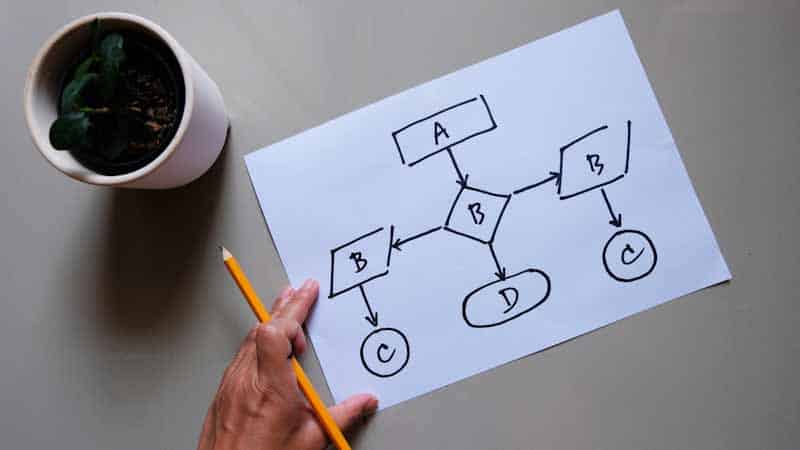
To understand the information needed, let’s review and compile. You can use the following information to help you design your custom forms for incident reporting using tools like the mobile field reporting tool, 1st Reporting.
Minimum Dataset Your Crews Capture (Schema)
Building your custom data model, start by capturing these fields on every damage report. Make them selectable where possible (code lists) to avoid free-text drift from field technicians. The following list is an example minimum dataset for use with electricity-related utility teams:
- Asset Identifiers: pole/structure ID, device ID, feeder/circuit, phase.
- Precise Location: GPS (lat/long), address cross-street, map link, GIS asset match.
- Outage & Condition Codes: cause, damage class/severity, work type, hazard category.
- Hazards: downed lines, energized equipment, traffic/vegetation/contamination notes.
- Materials & Labor: parts used, quantities, truck/crew hours.
- Evidence: photos/video, annotations, signatures.
- Crew & Timing: crew ID, supervisor, start/stop times, arrival/clear times.
Why standardize your data collection? Reviews of utility resilience plans repeatedly find non-standard data and inconsistent metrics, which hinder sharing and analysis. Use common fields and code lists to improve comparability and resilience planning. (“Current Practices in Distribution Utility Resilience Planning for Hurricanes and Non-Winter Storms” 2024)
Validation Rules That Prevent Incomplete Submissions
One of the most valuable tools I discovered during my years of managing industrial electro-mechanical service teams was a digital reporting tool that enabled me to create custom forms with built-in validation. In the past, field teams I managed used paper forms; I don’t need to tell you how that worked out–it left about ¼ of all reports requiring more information, different information, or corrections to information provided.
Paper-based reporting leaves the potential for incorrect information too available to field teams. However, specific data selection for particular emergency responses removes that potential and guides field teams to provide the information needed.
To start, choose a digital reporting tool like the 1st Reporting application. Then, using customization features, build guardrails into the emergency forms your team uses so crews “can’t submit wrong.” Here are a few examples:
- If damage is structural or a conductor is down, require ≥1 photo before Submit.
- GPS lock: Requires a valid GPS fix within a set radius of the selected asset (e.g., ≤50 m) before Submit.
- Code list enforcement: Limit cause/damage/work type to approved picklists; disallow free text where a code exists.
- Field logic: If hazard = energized equipment, force a PPE acknowledgement and a hazard-mitigation note.
- Range & format checks: Enforce numeric ranges (e.g., span length, conductor size), date/time sanity (start < end, no future times).
- Completeness checks: Block Submit until asset ID + location + at least one evidence item are present.
- Server reconciliation: On sync, reject or flag records that fail back-end rules (e.g., asset not in GIS, duplicate ticket).
APPA emphasizes accurate, timely damage assessment as the driver for resource requests, mutual aid, ETRs, and public messaging—make your guardrails reflect that priority. (Restoration Best Practices, Guidebook, 2018)
Offline-First, Autosync, And Server Timestamps
Design for bad radio days. You know those days happen. Some locations have inadequate connection coverage, so choose an emergency response reporting tool that can handle offline use and includes auto-sync to server features.
- Offline-first: Let crews capture everything (codes, photos, GPS) without coverage; cache code lists locally.
- Autosync: Push records automatically when connectivity returns; handle conflicts with last-writer-wins + human review for flagged items.
- Authoritative time: Stamp each record with both device time and server-received time on sync to preserve an audit trail.
Building on the offline concept, a digital reporting tool like the 1st Reporting app offers powerful customization features to create the specific standardized forms needed for your operations. Standardized fields plus reliable synchronization improve shareability and resilience analysis across events and agencies. (Keen et al., 2024)
Also, it’s worth noting that the APPA stresses accurate, timely damage assessment as central to restoration planning and mutual aid. Therefore, using reporting tools that support these objectives is crucial to successful emergency response operations. (APPA, 2018)
Tools Landscape: What Actually Works in the Field

I’ve mentioned the 1st Reporting application a few times as a suitable tool to help facilitate the efficient and effective collection and management of data in the field. This tool works exceptionally well for mobile field teams and is well-suited for use in the utility sector.
However, other tools in the industry are also quite effective, but only for their specific use case. For example, the EPA’s water sector shows sector apps speeding coordination. (U.S. EPA, 2025)
Considering the customizable nature of the 1st Reporting application and its powerful features for utility crews’ field use, it’s no wonder so many utility professionals around the world are choosing the 1st Reporting application as their go-to tool for emergency response reporting management.
From Chaos to Clarity: Operational Workflow (Template)
In the interest of further streamlining emergency response reporting, we’ve devised a seven-step strategy you can adopt with your field crews to ensure your incident reporting workflows are resilient, responsive, and efficient. We’ll show the step and the evidence needed for reporting in order to move on to the following stage effectively:
- Detection → triage the event (SCADA/AMI calls/weather).
- Gate evidence: Incident ID with timestamp (created in OMS/dispatcher log).
- Dispatch → assign crew, route, and ETA.
- Gate evidence: Crew accepts electronic dispatch (acknowledged in app).
- On-scene safety + ICS-214 → secure site, brief hazards, start log.
- Gate evidence: Signed tailboard/JSB entry on ICS-214 (time on scene, hazards, PPE).
- Structured damage report → capture asset, GPS, codes, photos.
- Gate evidence: GPS-verified asset match (asset ID within tolerance + at least one required photo).
- Auto-route to OMS/work orders → create/update ticket automatically.
- Gate evidence: OMS/WO ID issued (payload validated and accepted by OMS/ADMS).
- Supervisor review & compile packet → QA the record, attach evidence (photos, 214, timekeeping).
- Gate evidence: Supervisor sign-off (QA checklist complete, including “hazard cleared” photo before restoration).
- After-action analytics → close incident, extract metrics, lessons learned.
- Gate evidence: Closed-out dataset (cause code, restoration timestamps, crew hours) logged to analytics/AAR.
Using this standard operations procedure (SOP) for incident reporting in utilities can help your field teams not only collect the correct information, but also ensure timely regulatory compliance. Furthermore, there’s evidence to support the use of a digital reporting tool like the 1st Reporting application: Digitizing, location-based damage capture lets stakeholders build restoration material lists and queue jobs in near real-time, improving restoration prioritization (Meehan, 2025)
Furthermore, rapid, structured damage assessment drives positive results in resource allocation, communications initiatives, and management. (APPA, 2018)
Proving ROI: Compliance, Speed, and Cost Recovery

We’ve shown that using digital reporting tools dramatically enhances field reporting data quality, eases regulatory reporting for compliance, and improves reporting efficiency. We know that the APPA (American Public Power Association) links rapid, accurate assessment to resource/mutual-aid efficiency. (APPA, 2018)
A digital reporting tool, such as the 1st Reporting application, is the solution for streamlining emergency response reporting for utility crews, including electrical, water, gas, and other services.
The challenge? Try the 1st Reporting application and book a demo with the team at 1st Reporting. Set up a 30-day pilot to test the application with a select team within your organization. Note dispatch latencies and response times, and utilize the application’s notification and workflow customization features, along with the AI-powered custom form builder, to set up your team for the trial.
The team at 1st Reporting is invaluable. They’ll assist you in setting up your trial with a scheduled demo, allowing you to test the time savings and streamline emergency reporting with the 1st Reporting application. We’re confident that you’ll see benefits within two weeks: one week for adopting and adapting customizations to your operations, and another for familiarizing field teams with its use.
We’ve observed that within a two-week window, teams typically discover and implement more reporting streamlining methods than they initially thought possible. Therefore, the best course of action is to test the application in a pilot project within your organization. It will enable you to streamline incident and emergency reporting, ultimately achieving positive results in both operations and all reportable practices, from pre-equipment safety inspections to line hazard and line clearing operations.
With a fully customizable tool, you can streamline all aspects of documentable operations easily, intuitively, and practically effectively. Try the 1st Reporting application today and witness the difference customizable mobile reporting solutions make.
Sources
- U.S. DOE, OE-417 instructions and form (timelines, triggers). doe417.pnnl.gov+1
- FEMA, ICS-214 (purpose; after-action). training.fema.gov
- NERC, EOP-004-4 (accepts OE-417; thresholds). NERC
- NERC, EOP-004 IBR project (draft context). NERC+1
- EPA, Response On-The-Go Plus (sector app precedent). US EPA+1
- “Current Practices in Distribution Utility Resilience Planning for Hurricanes and Non-Winter Storms.” 2024. https://www.energy.gov/sites/default/files/2024-10/UtilityResiliencePlanningPracticesforHazards-HurricanesAndNonWinterStorms.pdf
- APPA, Restoration Best Practices (DA centrality). publicpower.org
- NREL/DOE, Resilience Planning Practices (standardization gaps). The Department of Energy’s Energy.gov+1
- EPRI/industry, UAS accelerates assessment. tdworld.com
- Peer-reviewed ML for outages (performance; predictors). PMCnhess.copernicus.org
- FPUA case (location-centric digitization improved workflow). Energy Central